
Four files, one at a time
Say you want a bug check on DevPulse before you share it. There are four files that matter.
You could ask about each file in turn. That works, but you wait four times. And the four checks do not need each other at all.
How do you run a big job in parallel, and still get one answer back?
Switch workflows on first
A workflow is a small script that sends several agents off at once and gathers their answers. Check that workflows are on before you ask for one.
Then type workflow to filter the list.
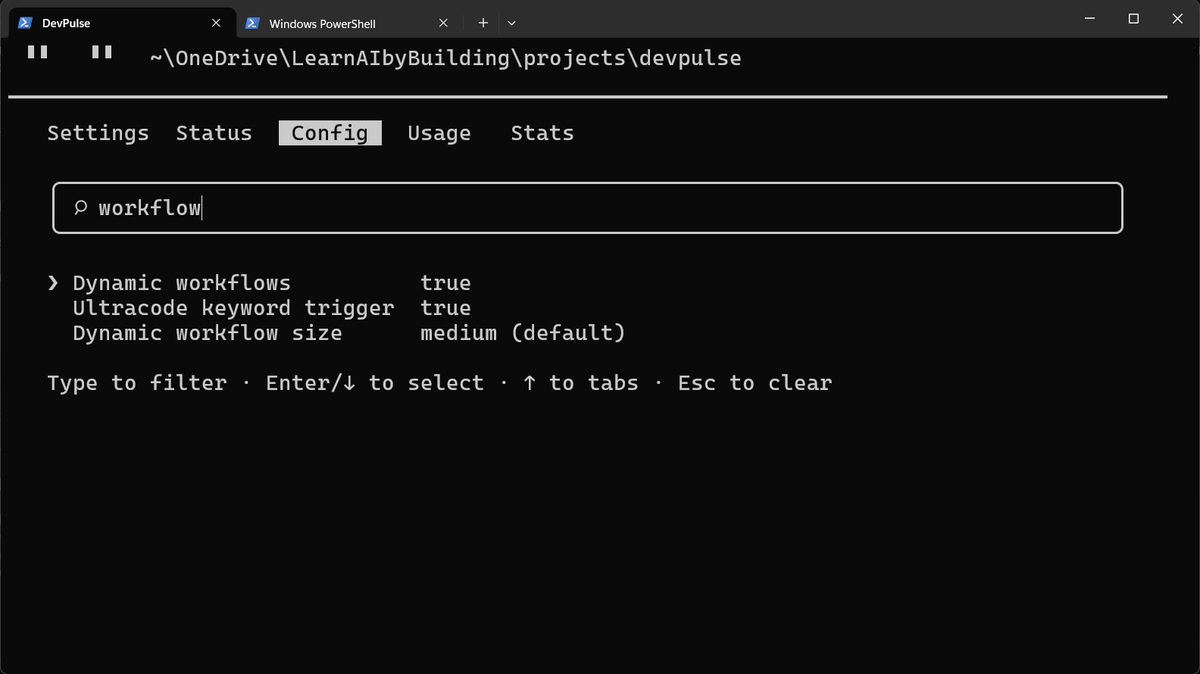
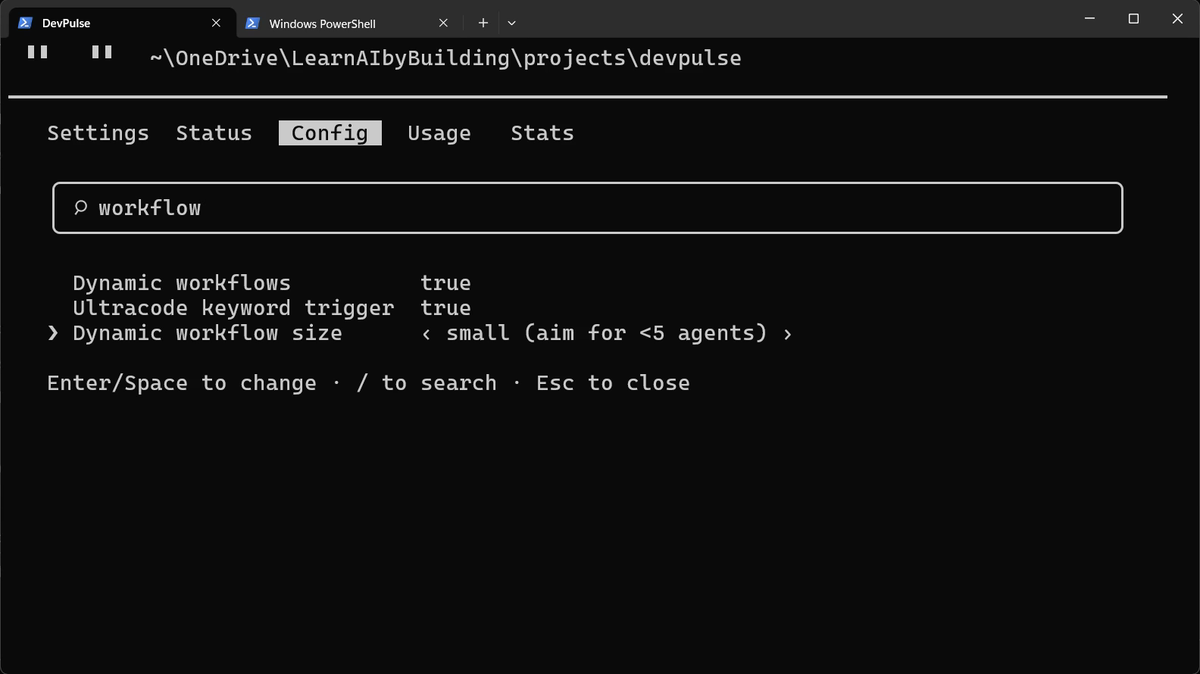
On the Pro plan, workflows are not on by default. Switch them on here, and keep the size small. Every agent spends tokens from your plan.
Ask for the scan
Start the request with Use a workflow. Name the parts, and say what you want back.
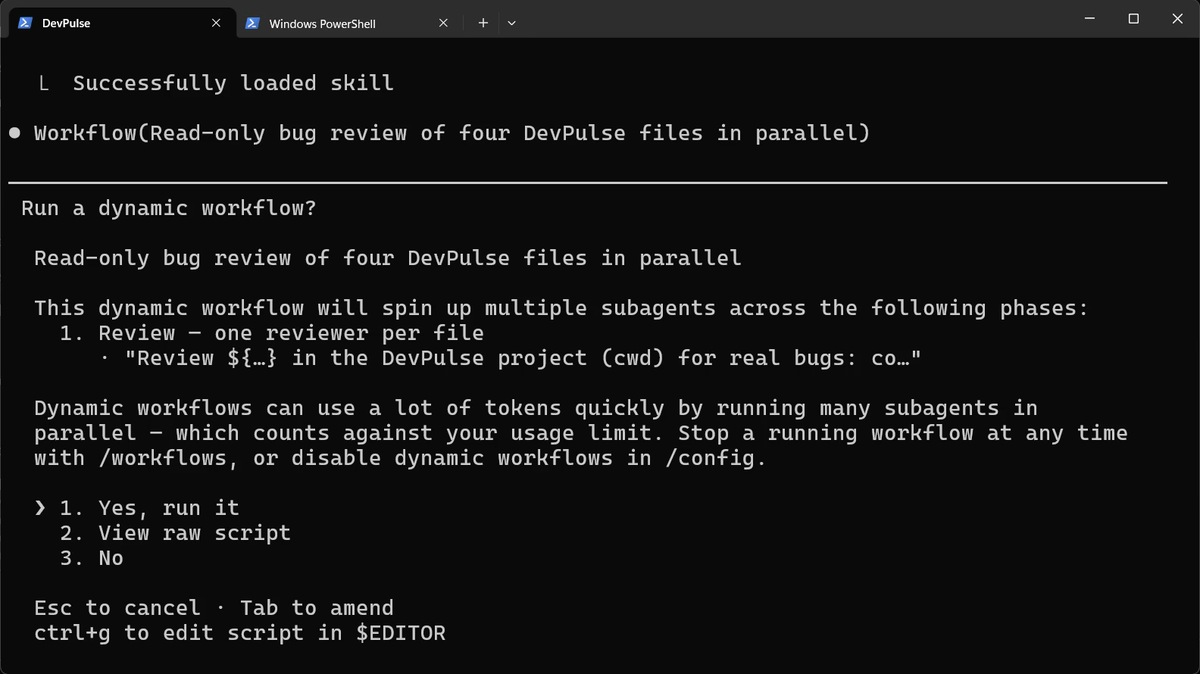
Choose Yes, run it. Then open the panel that shows the agents at work.
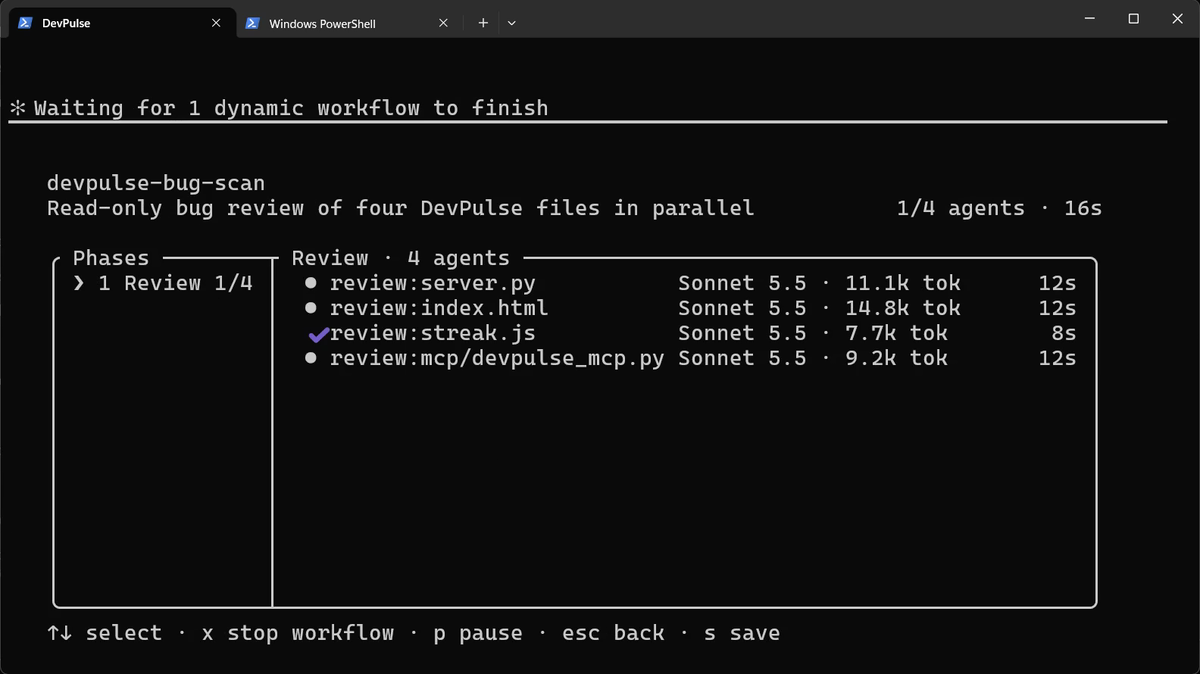
x stops one, p pauses it.One list back, and a saved workflow
When the agents finish, the panel shows what the whole job cost.
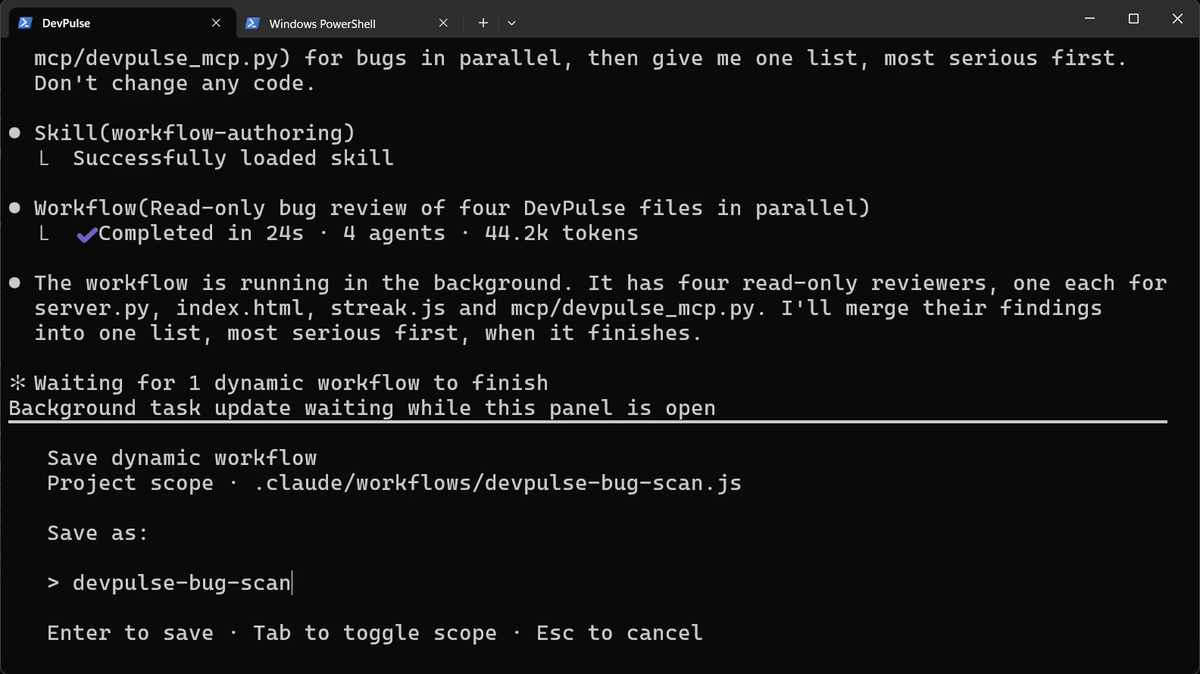
s to save it in the project, in .claude/workflows/.Back in the chat, Claude merges the four answers into one list, most serious first.
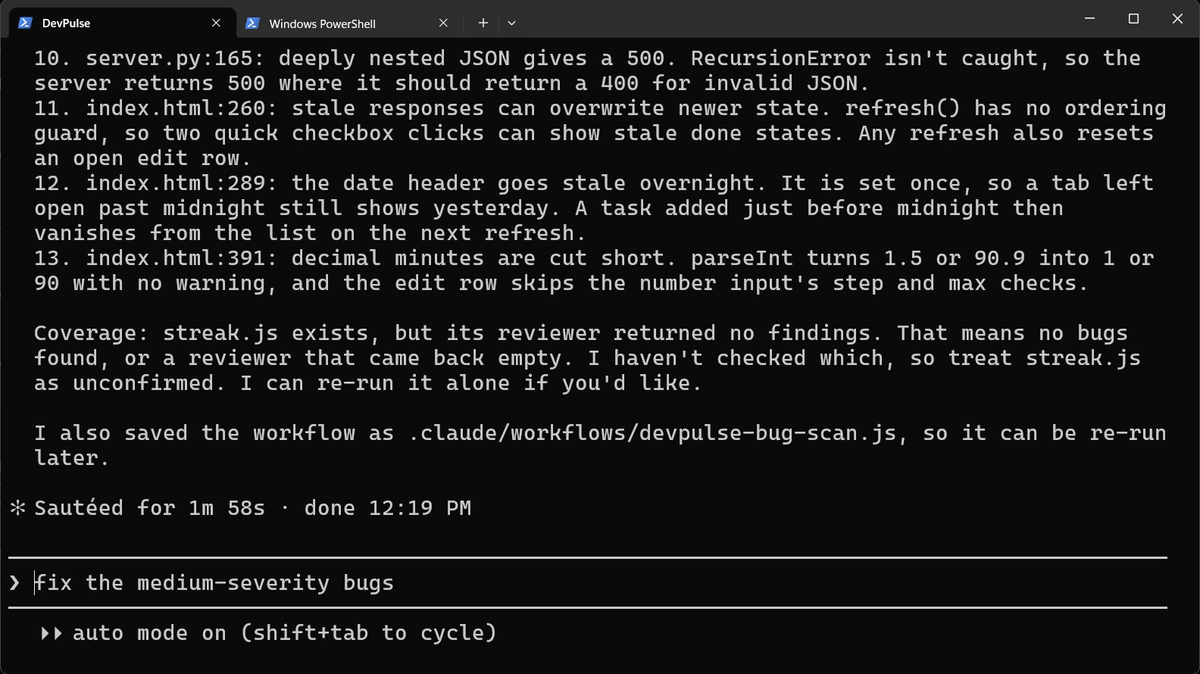
streak.js is "unconfirmed", not "clean". The grey line, fix the medium-severity bugs, is only a suggestion.We asked it not to change any code. Fixing is a separate step, and you choose which bugs.
What a workflow costs
Faster is not cheaper. Four agents each read their own file and think on their own, so the tokens add up.
| What we saw | What it means for you |
|---|---|
| 24 seconds | The four checks ran at the same time, not one after another |
| 4 agents | One per file; the small size kept it under five |
| 44.2k tokens | All of it counts toward your plan's limit, for one scan |
So use a workflow when the parts are truly separate and the job is big. For one file, just ask.
And all this still needs you to watch. What if Claude could warn you when something goes wrong? That is chapter 13.
Quick reference
The prompts from this chapter, ready to copy: every prompt, chapter 12.
| Command or key | What it does | Use it when |
|---|---|---|
/config, then type workflow | Shows the workflow settings: on or off, and the size | Before your first workflow, or to make them smaller |
Use a workflow: … | Asks Claude to split the job across several agents | The job splits into parts that do not depend on each other |
/workflows | Shows the running workflow and each agent's tokens | You want to watch, pause or stop a workflow |
x / p in /workflows | Stops or pauses the selected agent | An agent is stuck or costing too much |
s in /workflows | Saves the workflow to .claude/workflows/ | You will want to run the same job again |
Run your saved scan on your own project
The goal: one job split across agents, with the cost written down.
The steps: check /config first. Ask: Use a workflow: check each of these files … for bugs in parallel, then give me one list. Don't change any code. Watch it in /workflows, and note the time, agents and tokens.
Guess first: will two files cost about the same tokens, or very different amounts?
One question for you: which job in your week is really four small jobs that don't need each other?
References
Where each command and file on this page comes from. Every screenshot is from our own recording on 29 Oct 2026, Claude Code 2.1.312.
- Anthropic · Claude Code settings Where /config settings live, and project files under .claude/. https://code.claude.com/docs/en/settings
- Anthropic · Manage costs effectively Why many agents mean many tokens, and how to keep an eye on them. https://code.claude.com/docs/en/costs
- My own recording · 29 Oct 2026, Windows 11 The scan finished in 24 s with 4 agents and 44.2k tokens; streak.js came back with no findings, which Claude marked as unconfirmed.
New chapters and episodes come out every week. Follow along on YouTube or the WhatsApp channel.