Learn Claude Code by Building DevPulse · Chapter 11

DevPulse tools for Claude

Claude can now use servers that others built, so how do you give it tools for your own app? By the end of this chapter, DevPulse has its own MCP server, and you log a task by just telling Claude about it.

One sitting~7 min read, ~15 min to build along
You start fromchapter 10's DevPulse
You buildan MCP server with three DevPulse tools
Chapter 11 of 15Claude uses your app directly
Goes with Episode 11"How do I give Claude Code my own tools?". The video is being made. This page teaches the same steps, at your own pace.
In a hurry?Jump to the quick reference: every command and key in this chapter, what it does, and when to use it.
Every prompt, ready to copyThis chapter's prompts and commands, each with a Copy button. Type them yourself first; copy if you are stuck or behind.
Where you areDevPulse from chapters 1 to 10, with Playwright connected. You need Python 3 for the new server.

Claude still goes the long way round

You fixed a bug for 45 minutes. To log it, you open the app and fill the form. Or you ask Claude, and it edits data/tasks.json by hand.

In chapter 10, Playwright gave Claude a browser. Someone else built that server. Nobody has built one for DevPulse.

The question for this chapter

How do you give Claude tools of your own, so it can use your app directly?

A plugin that knows how to build servers

A plugin is a bundle of skills and commands. Anthropic's marketplace has one for building MCP servers.
Type this into Claude Code/plugin install mcp-server-dev@claude-plugins-official
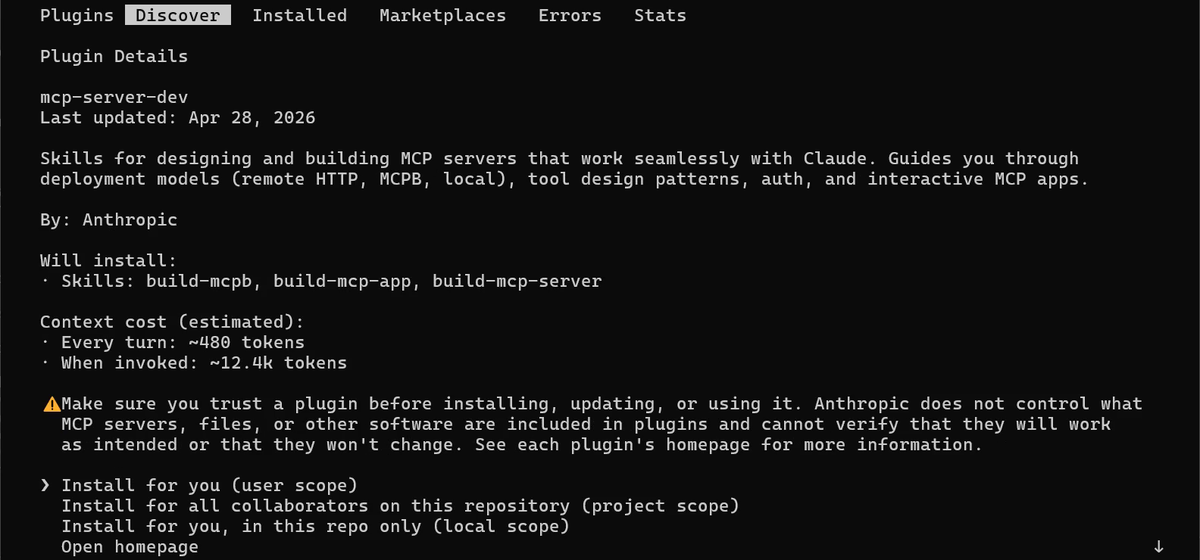
Plugin Details for mcp-server-dev by Anthropic: three skills, build-mcpb, build-mcp-app and build-mcp-server. Context cost: about 480 tokens every turn, about 12.4k when invoked. A trust warning, then Install for you (user scope), for all collaborators (project scope), or for you in this repo only (local scope).
Before you install, read the cost: about 480 tokens on every turn, 12.4k when you use it. We chose Install for you. The options sat below the screen, so we made the text smaller (Ctrl and minus).

Let the skill build the server

Tell it what you want in one go: the language, the file, and the three tools.
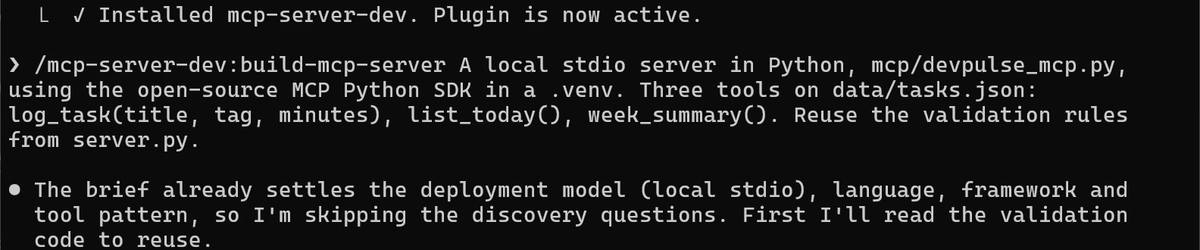
Type this into Claude Code, as one line/mcp-server-dev:build-mcp-server A local stdio server in Python, mcp/devpulse_mcp.py, using the open-source MCP Python SDK in a .venv. Three tools on data/tasks.json: log_task(title, tag, minutes), list_today(), week_summary(). Reuse the validation rules from server.py.
Installed mcp-server-dev. Plugin is now active. Then the build-mcp-server command, and Claude: the brief already settles the deployment model, language, framework and tool pattern, so I'm skipping the discovery questions.
The skill normally asks questions first. Our brief already answered them, so it went straight to work.

It made a .venv, installed the SDK with pip install mcp, wrote the file, and tested it. Then it caught a problem on its own.

I've written the server and am now testing it over real stdio against a temp data file. The tools work, but validation errors come back as a generic Error executing tool, which hides the reason from the model.
Bad input gave a vague error. Claude needs the real reason to fix its own call, so this mattered.
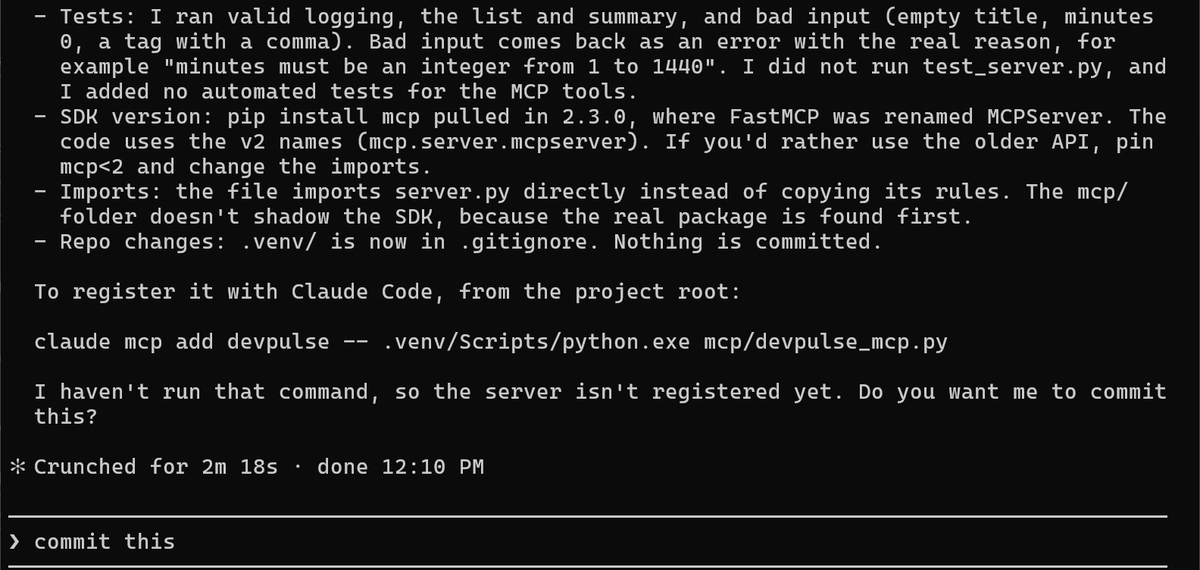
Claude's summary: tests ran valid and bad input, and bad input now returns the real reason, for example minutes must be an integer from 1 to 1440; no automated tests; SDK 2.3.0 where FastMCP was renamed MCPServer; it imports server.py's rules; .venv is in .gitignore. Then the claude mcp add command it has not run. The grey suggestion: commit this.
Done in 2 m 18 s. It says what it did not do: no automated tests, and the server is not registered yet. The grey commit this is only a suggestion.
Careful here

A stdio server talks to Claude through stdout. One stray print() in the server breaks the messages. Our server has none. Log to stderr instead.

Commit it with /commit-commands:commit.
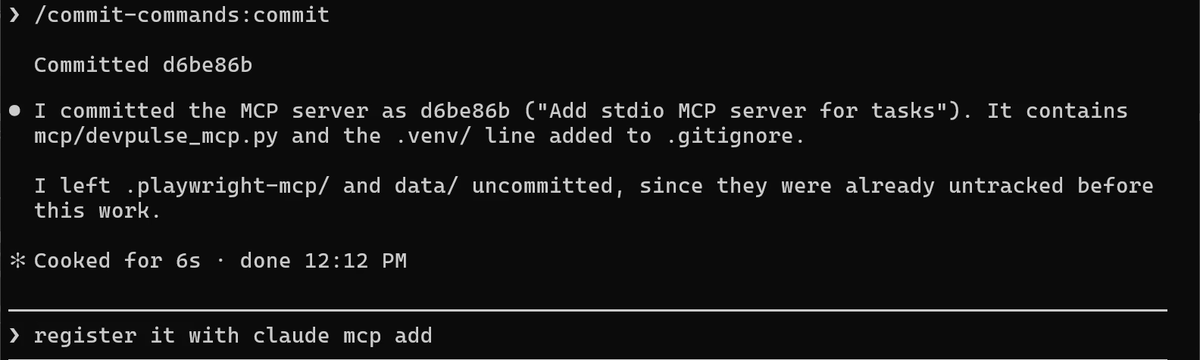
Committed d6be86b, Add stdio MCP server for tasks: mcp/devpulse_mcp.py and the .venv line in .gitignore. The grey suggestion: register it with claude mcp add.
Two files. The grey line, register it with claude mcp add, is the next step. We do it ourselves in the terminal.

Register the server

Exit Claude with /exit. The command starts the server with the Python inside .venv, so the SDK is found.
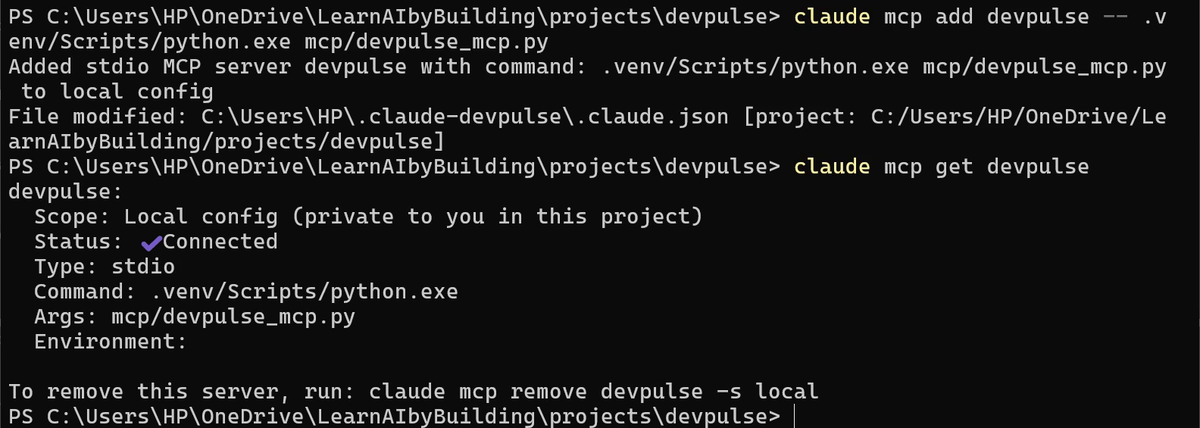
Windows: type this in the terminal, one line at a timeclaude mcp add devpulse -- .venv/Scripts/python.exe mcp/devpulse_mcp.py claude mcp get devpulse
Mac: type this in Terminal, one line at a timeclaude mcp add devpulse -- .venv/bin/python mcp/devpulse_mcp.py claude mcp get devpulse
Added stdio MCP server devpulse to local config. claude mcp get devpulse: Scope Local config, Status Connected, Type stdio, Command .venv/Scripts/python.exe, Args mcp/devpulse_mcp.py.
Local scope, stdio, Connected. Your own server, next to Playwright.

Now just ask

Start claude again. No tool names this time. Talk like you would to a colleague.

Type this into Claude Codelog 45 minutes on fixing the streak bug, tag backend
Called devpulse. Logged Fix streak bug under the backend tag for 45 min on 2026-10-29.
Called devpulse: Claude picked your tool. It even made the title shorter.
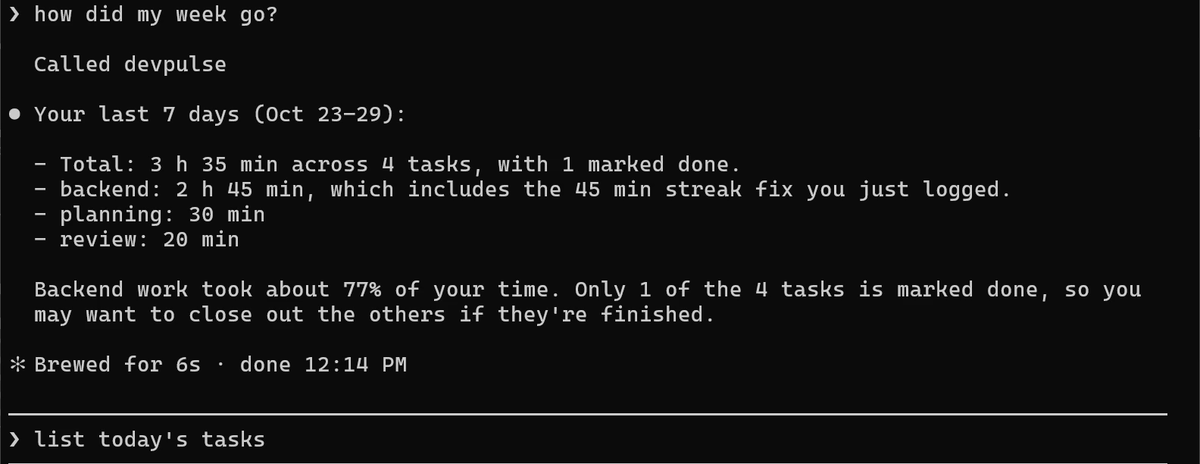
Then type thishow did my week go?
Called devpulse. Your last 7 days, Oct 23 to 29: total 3 h 35 min across 4 tasks, 1 done; backend 2 h 45 min; planning 30 min; review 20 min. Backend took about 77% of your time. The grey suggestion: list today's tasks.
The week, from week_summary. The grey list today's tasks is only a suggestion.

Did it really land in the app? Refresh DevPulse (F5) and scroll to the end.

The new row is there: Fix streak bug, backend, 45 min. The tab title now says 3 h 35 min.

What your own tools cost

Each tool's name and description go into Claude's context, like any server's. Three small tools cost little. Keep them few and clearly named.

Claude now uses your app. Can it also hunt for bugs in many files at once? That is chapter 12.

Quick reference

The prompts from this chapter, ready to copy: every prompt, chapter 11.

Command or keyWhat it doesUse it when
/plugin install name@claude-plugins-officialInstalls a plugin from Anthropic's marketplaceYou want ready-made skills for a job
/mcp-server-dev:build-mcp-server …Plans, writes and tests an MCP serverYou want Claude to use your own app
claude mcp add name -- .venv/Scripts/python.exe file.pyRegisters your server (Windows)The server is written and tested
claude mcp add name -- .venv/bin/python file.pyRegisters your server (Mac)The same, on a Mac
claude mcp get nameShows scope, status and command of one serverYou want to check it connects
Just ask, in plain wordsClaude picks the right tool and calls itThe server is connected

References

Where each command on this page comes from. Every screenshot is from our own recording on 29 Oct 2026, Claude Code 2.1.312.

  1. Anthropic · Discover and install plugins /plugin, the official marketplace, and installing for you, a repo or this repo only. https://code.claude.com/docs/en/discover-plugins
  2. Anthropic · Connect Claude Code to tools via MCP claude mcp add for a local stdio server, claude mcp get, and the scopes. https://code.claude.com/docs/en/mcp
  3. Model Context Protocol · MCP Python SDK The open-source package our server is built on (pip install mcp). https://github.com/modelcontextprotocol/python-sdk
  4. Model Context Protocol · Build an MCP server Why a stdio server must never print to stdout: that channel carries the messages. https://modelcontextprotocol.io/docs/develop/build-server
  5. My own recording · 29 Oct 2026, Windows 11 The server was written and tested in 2 m 18 s; the SDK installed was 2.3.0; Claude called devpulse for both questions.