
A friend asks what you are building
You could send a screenshot. But a link is better: they open it, and it is always up to date.
There is a catch. DevPulse holds every task you log, and some are private. You want to share a few, not all.
How do you put part of DevPulse on the internet, and be sure the rest stays on your laptop?
A page of public tasks only
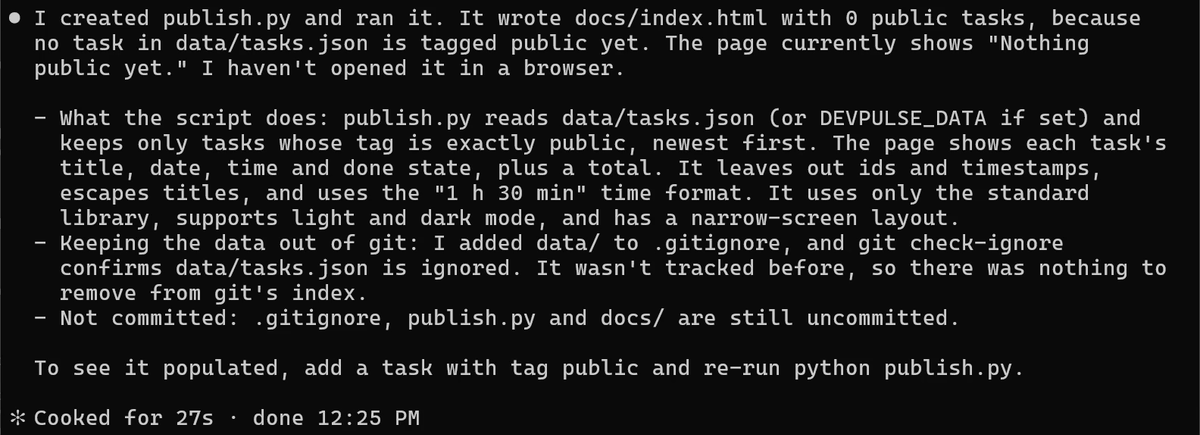
The plan: a small script reads your tasks, keeps only the ones tagged public, and writes one plain web page. Your data file never leaves the laptop. Only the page does.
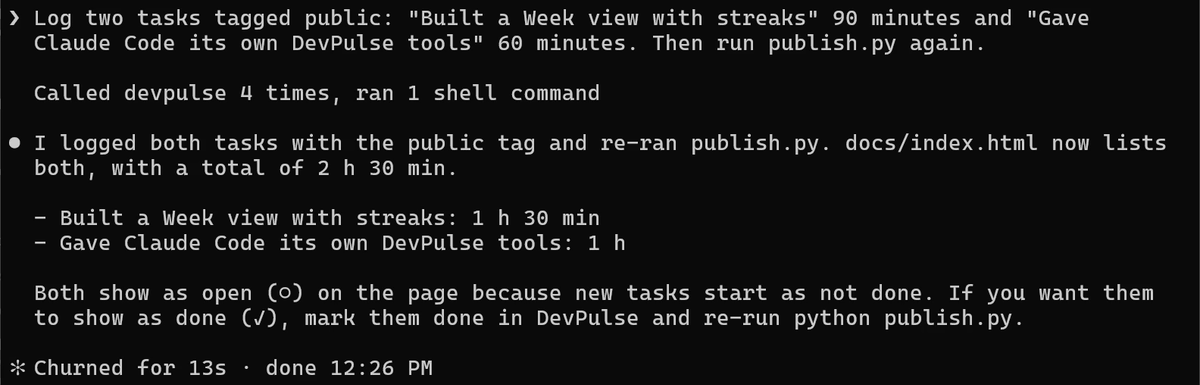
data/ is now in .gitignore, so git will never commit it.An empty page proves nothing. Give it two tasks to show. This uses your own DevPulse tools from chapter 11.
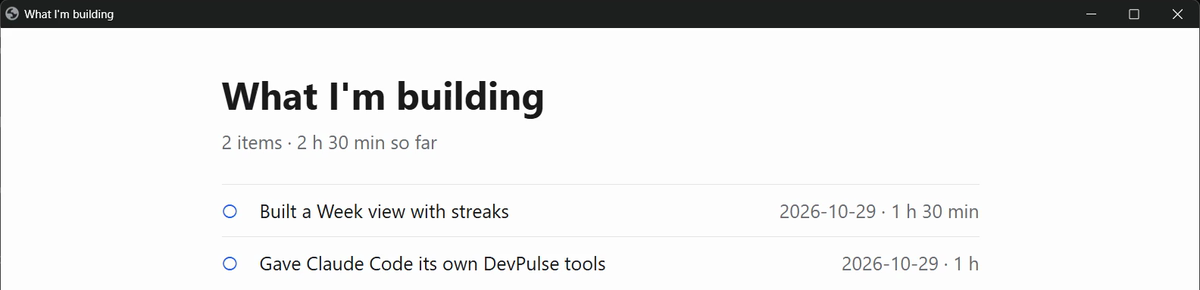
Open the page on your laptop first.
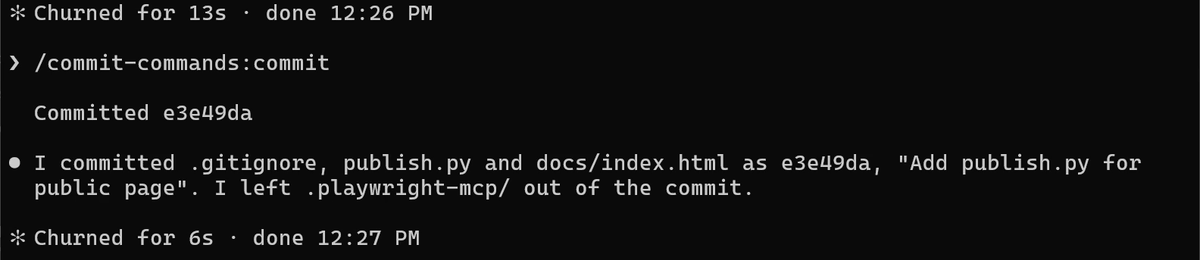
Commit it with /commit-commands:commit.
Put the project on GitHub
GitHub keeps a copy of your project online, and it can serve a folder as a website for free. Claude talks to GitHub through gh, GitHub's own command-line tool.
First, install gh and sign in to your own GitHub account. Do this yourself, in your second tab. Claude should never type your password.
gh auth login asks a few questions. Pick GitHub.com, then "Login with a web browser", and follow the code it shows. Then go back to Claude Code.
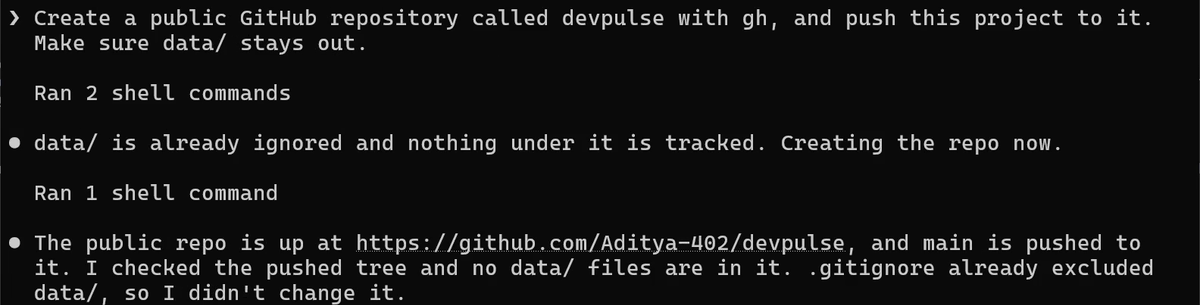
data/ before it created anything, and checked again after the push. Yours will be under your own GitHub name."Public" means anyone can read every file in the repository. That is why data/ had to be in .gitignore first. Once a file is pushed, deleting it later does not remove it from the history.
Turn the docs folder into a website
GitHub Pages serves one folder of your repository as a website. We put the page in docs/ for exactly this.
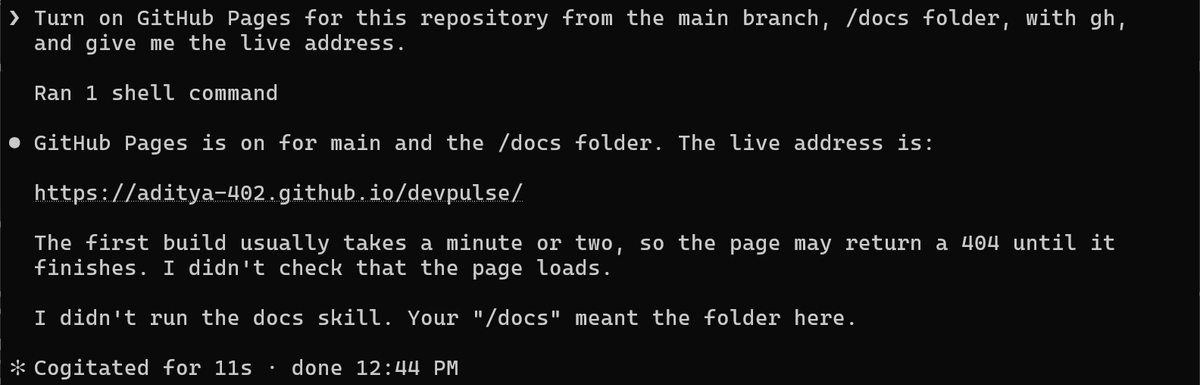
Your address follows the same shape: your-github-name.github.io/devpulse. Wait a minute or two before you open it.
Check what went public
Anything on the internet can be read by anyone. So before you share the link, ask Claude to prove two things: the page is up, and nothing private is on it.
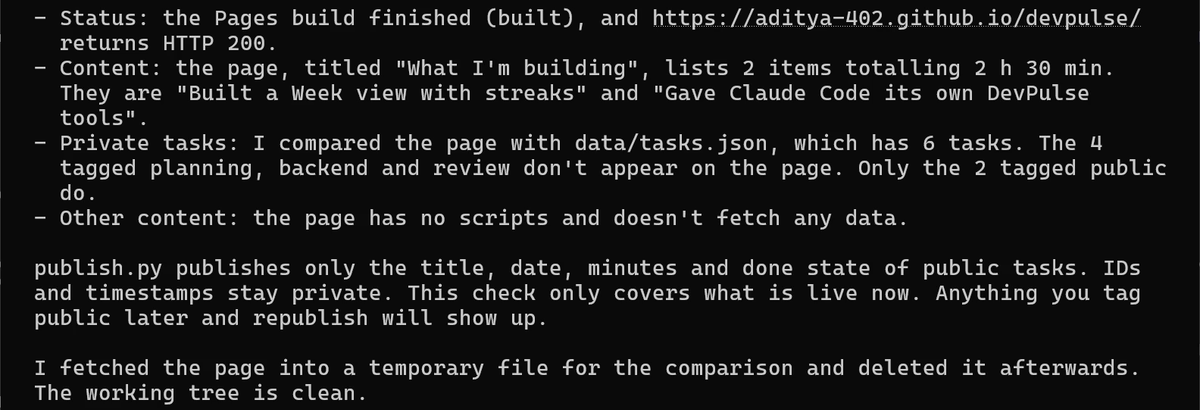
Now open the address in your browser.
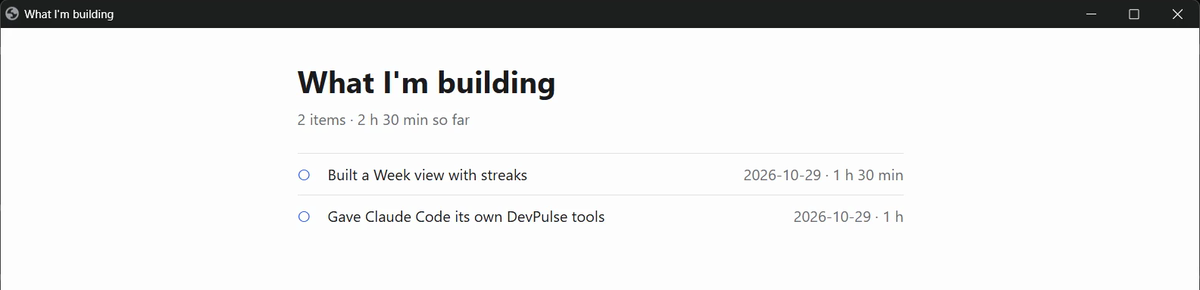
To add a task later: tag it public, run python publish.py (Mac: python3), commit, and push. GitHub rebuilds the page.
What it costs
GitHub Pages is free for public repositories. The cost is care: every push to a public repository is public. Keep the check as a habit, every time.
And one more question. All 14 chapters happened in this terminal. Is the terminal the only place Claude Code works? That is chapter 15.
Quick reference
The prompts from this chapter, ready to copy: every prompt, chapter 14.
| Command or key | What it does | Use it when |
|---|---|---|
Create publish.py that builds docs/index.html … | Writes a script that turns public tasks into one static page | You want to share some of your data, not all of it |
data/ in .gitignore | Keeps your private task file out of every commit | Before anything goes to GitHub |
gh auth login | Signs the GitHub CLI in to your own account | Once, before Claude creates a repository for you |
Create a public GitHub repository … with gh | Creates the repository and pushes your project | The project is ready to leave your laptop |
Turn on GitHub Pages … /docs folder | Serves docs/ as a website | You want a live address to share |
Check that the live page is up and shows no private tasks. | Fetches the live page and compares it with your data | Every time something goes public |
Make your page show finished work
The goal: the live page shows both tasks as done.
The steps: ask Claude to mark both public tasks done and run publish.py again. Commit and push. Wait a minute, then run the check prompt again.
Guess first: will the live page change the moment you push, or later?
One question for you: which of your own tasks would you be happy for anyone to read?
References
Where each command and setting on this page comes from. Every screenshot is from our own recording on 29 Oct 2026, Claude Code 2.1.312.
- GitHub · GitHub CLI manual gh auth login, gh repo create, and gh api for repository settings. https://cli.github.com/manual/
- GitHub · Configuring a publishing source for your GitHub Pages site Publishing from the main branch and the /docs folder; the first build can take a few minutes. https://docs.github.com/en/pages/getting-started-with-github-pages/configuring-a-publishing-source-for-your-github-pages-site
- Git · gitignore How a .gitignore line keeps a folder out of every commit. https://git-scm.com/docs/gitignore
- My own recording · 29 Oct 2026, Windows 11 The repository, Pages and the live check took under five minutes; the page showed 2 public tasks and none of the 4 private ones.
New chapters and episodes come out every week. Follow along on YouTube or the WhatsApp channel.