
Prefer to watch? This post goes with the video (5:39). Open it on YouTube.
A small puzzle
Let's start with a small puzzle. Here is a program with 3 lines. Line 1 prints Hello, line 2 prints Line two, and line 3 is missing its closing bracket.
Guess first: before you press Run, decide what you will see. Will Hello and Line two print before the problem, or not? Write your guess down somewhere.
The step: then press Run, and compare.
Were you surprised? To understand what happened, we need to know what a Python program really is. Let's try to understand.
Python means two things
First, what is Python? When programmers say Python, they mean two things. English is a good way to see both.
English has words, and grammar rules for putting them together. "Get me water" makes sense, but "Water get me" does not. The words are the same; one change in order, and the meaning is gone.
Python, the language, works the same way: a set of words, and the rules for writing them. These grammar rules are what we call syntax.
The second thing is the interpreter. In everyday English, an interpreter is the person who stands between two people who don't share a language.
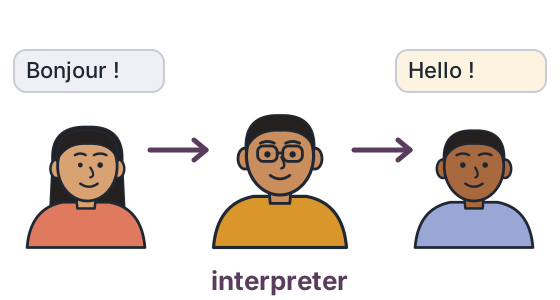
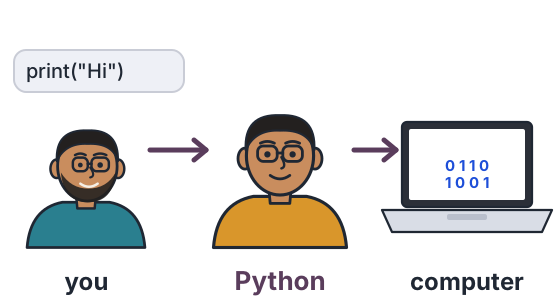
Python's interpreter does the same job. Like a broker, it stands between you and the computer. It reads what you wrote, and gets the computer to do it.
So when you press Run, you are not talking to the computer directly. You are handing your program to the interpreter.
So, what is a Python program?
A Python program is just text. You type it, and save it in a file whose name ends in .py, like hello.py. That file is your program.
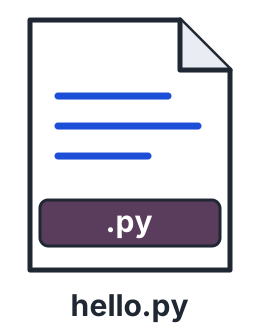
Nothing special happens while you type. A .py file is plain text, the same as a note on your phone. Everything happens when you press Run.
What happens when you press Run
Follow one program from your keyboard to the screen, in three moves.
When you press Run
it reads the whole file → turns it into simple steps → runs them, top to bottom
The interpreter first reads the whole file, from the first line to the last, and checks the grammar. Then it turns your code into small, simple steps. Only then does it start running those steps, top to bottom.
These simple steps are what we call bytecode. You never see them, and you don't need to.
Curious? Peek at the bytecode (optional)
Python has a tool called dis that shows the simple steps it makes from your code. Press Run to see the steps for one line, print("Hello"). Don't try to learn them; just notice that one line of yours becomes several small steps.
The careful cook
Say you are cooking from a new recipe. A careful cook reads the whole recipe first. If one sentence in it makes no sense, he doesn't start cooking at all.
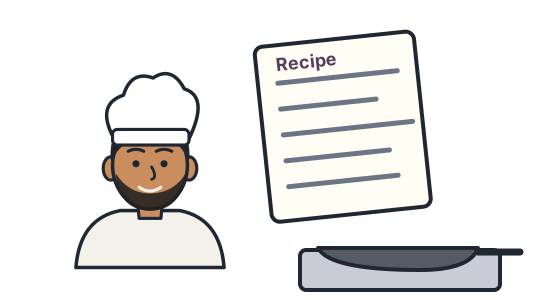
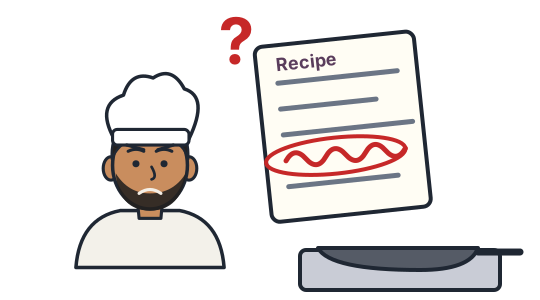
If the recipe reads fine, he starts at step 1 and cooks step by step, top to bottom.
Python's interpreter is that careful cook. Reading the whole recipe first is what we call compiling. Cooking it step by step is what we call interpreting.
The puzzle, answered
Now back to the puzzle. Line 3 is missing its bracket, so the grammar check fails, and the interpreter never starts running. Not one line runs, so nothing is printed, not even Hello.
A grammar mistake is what we call a syntax error. One syntax error anywhere in the file, and nothing runs.
The step: on the line marked # edit here, add the missing ) right after "Bye". Then press Run.
Guess first: how many lines will print now?
What it means: all 3 lines run, because the grammar check passed and the cook started cooking.
You may read that an interpreter runs code line by line. If you guessed that Hello and Line two would print, you were thinking exactly that. For Python, it is only half the story: Python compiles the whole file first, which is why nothing printed.
How is this different from C?
So what does a compiler do in a language like C? It stops after the first job. It turns your whole program into a separate program file, an .exe on Windows, which you can run later as many times as you like.
Python
press Run → compile → interpret
both jobs, every time you press Run
C
compile → a separate program file
you run that file later
You don't need C to learn Python. It is here only so that the word compiler means something to you the next time you meet it.
Where the interpreter comes from
Where do you get this interpreter? Normally, you download it from python.org and install it on your computer. That download is the interpreter. It is called CPython, because it is written in C.
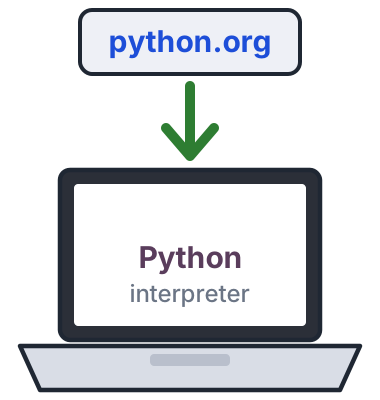
To make learning easy, we have already put the interpreter on our website. Every Run button on this page is that same Python, rebuilt to run inside your browser. Open the page, type your code and press Run, with nothing to install.
Python 3, and what comes with it
One more thing before you search the internet for help. Python has two major versions, Python 2 and Python 3. Python 2 was retired on 1 January 2020, so we use Python 3 and skip old code written for Python 2.
Python also comes with a box of ready-made tools for dates, maths, files and much more. This box is what we call the standard library. Here are two of its tools, used in two lines.
What you should see: 12.0, the square root of 144, and then today's date.
Outside that box, there is a public shelf of extra tools written by other people. It is called PyPI, and it held over 900,000 of them this month. We will learn to use that shelf later, when our programs need it.
The takeaway
- A Python program is text, in a
.pyfile, written to Python's grammar. - The interpreter compiles the whole file first, and checks that grammar.
- Then it interprets the program, step by step, top to bottom.
That leaves you with a question. If every line follows the grammar, does that mean the program does what you wanted?
Break it, predict it, run it
The goal: see for yourself where Python stops reading. Everything runs right here.
- In the box below, delete the closing bracket on line 3, the line marked
# edit here first. - Before you press Run, write down what you think will print.
- Run it.
- Press Reset. Now delete the closing bracket on line 1 instead, and try again.
If your guess was wrong, good. That is the interpreter teaching you how it reads.
One question for you: did anything print before the error? And the puzzle from the start: was your guess right? Tell me under the video.
References
Every number on this page, and where it comes from. Checked on 19 Oct 2026.
- Python Software Foundation — Python tutorial: Errors and Exceptions. There are two kinds of errors: syntax errors, found while parsing, and exceptions, found while running. link
- Python Software Foundation — Language reference: Top-level components. A whole file is passed to the interpreter and run as one complete program. link
- Python Software Foundation — Glossary: bytecode, CPython, interpreted. Python source code is compiled into bytecode, which the interpreter then runs. CPython is the implementation from python.org. link
- Python Software Foundation — Language reference: Introduction. CPython, the original and most used implementation, is written in C. link
- Python Software Foundation — dis: Disassembler for Python bytecode. The tool used in the optional peek: it shows the bytecode Python makes from your code. link
- Python Software Foundation — Python tutorial: Modules. A Python file has the suffix .py. link
- Pyodide — Pyodide 0.26.4. "A port of CPython to WebAssembly/Emscripten": the Python that runs on this page, inside your browser (Python 3.12). link
- Python Software Foundation — Sunsetting Python 2. Python 2 stopped receiving any fixes on 1 January 2020. link
- Python Software Foundation — Python tutorial: Brief tour of the standard library. The modules that come with Python, such as math and datetime. link
- Python Package Index — pypi.org, live project counter. 916,805 projects on 16 October 2026. link
- My own run — 16 and 19 October 2026: CPython 3.13.7 on Windows 11, and this website's runner. The puzzle program prints nothing: SyntaxError: '(' was never closed.
New chapters and episodes come out every week. Follow along on YouTube or the WhatsApp channel. Questions? Ask under the video on YouTube; I read every comment.